 Book Printing in China
 Custom Card Decks
 Custom Holographic Cards
 Free Wall Calendar Template
 Free Desk Calendar Template
 Folding Cartons
 Rigid Boxes
 Corrugated Boxes
 Custom Board Game
 Custom Card Game
 Kickstarter Print Solutions
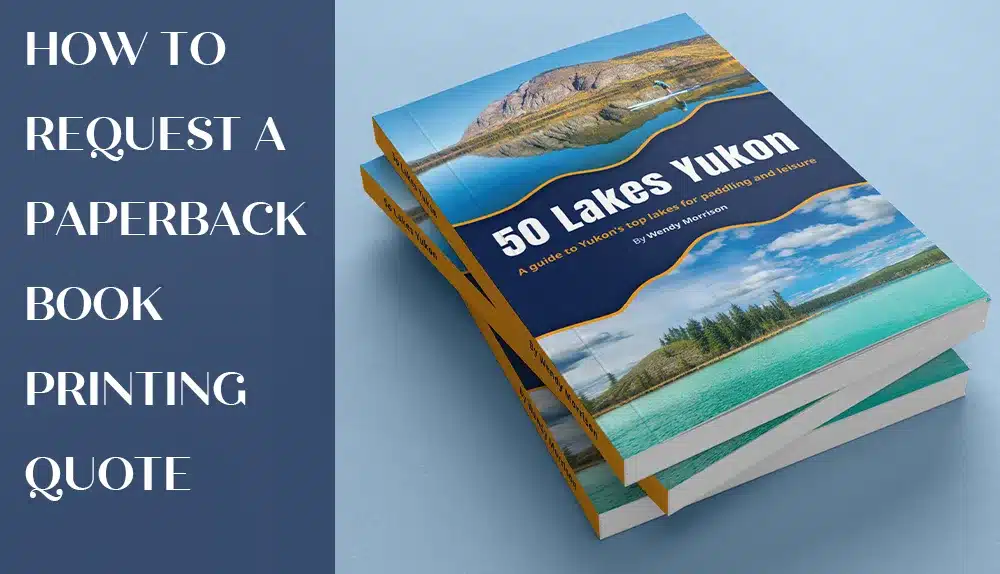
Most authors and publishers already know what they want their book to look like—but when it comes time to request a quote, they’re unsure how to describe it clearly to a printer. This is where paperback book printing specifications come in.
Good printing specifications aren’t about using complicated terms. They’re simply a clear way to explain your book so the printer can quote accurately, recommend the right materials, and avoid misunderstandings later.
In this guide, we’ll walk through paperback book printing specifications step by step, explain why each detail matters, and show you how to communicate your project clearly—even if this is your first time printing a book.
What Do “Paperback Printing Specifications” Really Mean?
In simple terms, printing specifications are a structured description of your book. They tell the printer:
- how big the book is
- what the cover and inner pages are printed on
- how many pages there are
- how the book is bound
- how many copies you need and where they should be delivered
When these details are clear, your quote will be faster, more accurate, and easier to compare.
A Complete Example of Paperback Book Printing Specifications
Here’s an example of a clear, professional specification you could send to a printer:
Size: 8.5″ × 11″
Cover: 4C/4C, 250gsm (92lb cover) gloss art paper, 4 pages, matte lamination on the outside, gold foil stamping
Inner Pages: 4C/4C, 128gsm (86lb text) gloss art paper, 32 pages
Binding: sewn perfect binding
You don’t need to make it more complicated than this. This format works for most paperback book printing projects, and your printer can suggest alternatives if adjustments are needed.
1. Book Size: Start with the Trim Size
The first thing a printer needs to know is your final trim size—the size of the book after it’s cut.
Always write it as width × height, such as 8.5″ × 11″.
You should also mention whether the book is:
- Portrait (vertical)
- Landscape (horizontal)
This matters because trim size affects how the book is printed, how the cover is laid out, and how wide the spine will be.
Example:
Size: 8.5″ × 11″, portrait
If you’re unsure about how trim size impacts printing, don’t worry—providing a clear size is enough for your printer to handle the rest.
2. Cover Printing Specifications
The cover is often where authors feel the most uncertain, but it’s actually very straightforward once you break it down.
When describing your paperback cover, include three things: color, paper, and finishing.
Color
- 4C/0C – printed in full color on the outside only
- 4C/4C – printed in full color on both sides
Paper
A common choice for paperback covers is 250gsm (≈92lb cover) gloss or matte art paper, but other options—such as kraft or specialty papers—are also possible.
Finishing
Lamination protects the cover and improves durability. You can choose:
- matte lamination
- gloss lamination
- soft-touch lamination
Decorative finishes like foil stamping, spot UV, embossing, or debossing can also be added. If you use foil stamping, simply note the foil color.
Example:
Cover: 4C/4C, 250gsm gloss art paper, matte lamination on the outside, gold foil stamping
You don’t need to list every possible option—one clear choice gives your printer a solid starting point.
3. Inner Page Printing Specifications
For the inner pages, focus on color, paper, and page count.
Color
- 4C/4C for full color books
- 1C/1C for black-and-white interiors
Paper
Most paperback books use 105–157gsm (70–106lb text) paper. Gloss, matte, or offset paper can be selected depending on the look and reading experience you want.
Page Count
Always count printed pages, not sheets.
(One sheet of paper equals two pages.)
Example:
Inner Pages: 4C/4C, 128gsm gloss art paper, 32 pages
These details help the printer calculate the book’s thickness and confirm the appropriate binding method.
4. Binding Options for Paperback Book Printing
Binding affects how your book looks, how it opens, and how long it lasts.
This is the most common binding method for paperback books, magazines, and catalogs.
For thicker books or books that will be handled frequently, sewn perfect binding adds strength while keeping the same paperback appearance.
Stapled at the spine, suitable for thin booklets (usually under 64 pages).
Used mainly for manuals, notebooks, or calendars. Always specify wire or coil color.
If you’re unsure which binding to choose, it’s perfectly acceptable to ask your printer for a recommendation based on your page count.
5. Optional Finishing Enhancements
If you want your paperback book to stand out, you can include optional finishing details such as:
- foil stamping
- spot UV
- embossing or debossing
- gilded or painted page edges
- die-cut covers or windows
When listing these, simply describe where each effect is applied (for example, “gold foil logo on front cover”).
6. Quantity, Trade Terms, and Delivery Details
To complete your quote request, include:
- Quantity:
One or two options (e.g., 500 and 1,000 copies) to compare costs - Trade Terms:
EXW, FOB, CIF, or DDP - Delivery Address:
Full destination details with contact name and phone number
These details allow the printer to calculate production and shipping accurately.
7. Sample Email for a Paperback Printing Quote
If you’re unsure how to put everything together, this simple format works well:
Subject: Paperback Book Printing Quote Request
Hello [Printer Name],
Please quote my paperback book printing project with the following specifications:
Size: 8.5″ × 11″
Cover: 4C/4C, 250gsm gloss art paper, matte lamination, gold foil stamping
Inner Pages: 4C/4C, 128gsm gloss art paper, 32 pages
Binding: sewn perfect binding
Quantity: 500 and 1,000 copies
Trade Terms: DDP
Delivery Address: [Full address]
Please advise pricing, production lead time, and proofing options.
Thank you very much.
Best regards,
[Your Name]
Final Thoughts
Clear paperback book printing specifications make the entire printing process smoother—from quoting to production.
You don’t need to sound technical or overcomplicate things. A clear, honest description of your book helps the printer understand your expectations and deliver the result you’re looking for.
At QinPrinting, our online quote tool automatically generates a complete specification sheet once you enter your book details—making it easy to prepare professional printing specifications for any paperback book printing project.
Spending a few extra minutes organizing your specifications now can save time, reduce revisions, and help ensure a successful final result.