 Book Printing in China
 Custom Card Decks
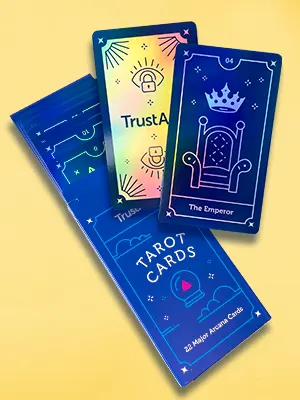 Custom Holographic Cards
 Free Wall Calendar Template
 Free Desk Calendar Template
 Folding Cartons
 Rigid Boxes
 Corrugated Boxes
 Custom Board Game
 Custom Card Game
 Kickstarter Print Solutions
Card decks are the building blocks of products such as board games, trading card games, or tarot cards; therefore, an understanding of deck sizes is crucial. The size of your cards affects the usability, printing costs, design, and even the overall impression of your product. Of course, it follows that different sizes are best suited for different purposes. This guide will walk you through common card types, size considerations, image dimensions, and general tips for choosing the right card deck size for your audience.
Common Types of Card Decks and Their Sizes
Card decks come in various formats, each with conventional sizes that the industry has gradually standardized. Some of the most common formats are listed below:
1. Standard Playing Cards
- Poker Size: 2.5 × 3.5 in (63 × 88 mm) – Widely used for classic playing cards, trading card games, and custom decks. Compatible with most card sleeves.
- Bridge Size: 2.25 × 3.5 in (57 × 88 mm) – Narrower in size, making it easier to hold multiple cards.
2. Mini and Specialty Cards
- Mini Cards: 1.73 × 2.68 in (44 × 68 mm) – Compact size for portable games, promotional decks, or special formats.
- Square Cards: 2.56 × 2.56 in (65 × 65 mm) or 2.75 × 2.75 in (70 × 70 mm) – Used for unique board games or indie designs.
3. Trading and Collectible Cards
- Pokémon / Yu-Gi-Oh / MTG Style: 2.5 × 3.5 in (63 × 88 mm) – Standard for collectible card games. See “poker size” above.
- Larger Collector Cards: 2.75 × 4.75 in (70 × 120 mm) – Used by some limited editions or premium cards in showcases.
4. Tarot and Oracle Cards
- Standard Tarot: 2.75 × 4.75 in (70 × 120 mm) – Slightly larger than poker cards, designed to display detailed illustrations.
- Mini Tarot: 1.97 × 3.54 in (50 × 90 mm) – Smaller than the standard tarot size; used for portable or travel versions.
- Oracle Cards: 2.75 × 4.75 in (70 × 120 mm) or custom square sizes – Emphasizes artwork with their larger size.
5. Educational and Flash Cards
- Children’s Learning Cards: 2.17 × 3.35 in (55 × 85 mm) – Easy for small hands to comfortably hold.
- Flash Cards for Study / Language: 2.36 × 3.54 in (60 × 90 mm) – Standard rectangles that display vocabulary or information.
6. Board Game Cards
- Small Action / Resource Cards: 1.73 × 2.68 in (44 × 68 mm) – Fits neatly in board game boxes.
- Large Character / Event Cards: 2.48 × 3.46 in (63 × 88 mm) – Easier to read and display icons or artwork.
- Custom Shapes / Sizes: Sometimes 2.75 × 3.94 in (70 × 100 mm) or other non-standard sizes depending on game design.
Factors Affecting Card Size
Choosing the right card size involves balancing several considerations:
- Industry Standards
Many sizes have become “default” due to historical use and user familiarity. Standard sizes help players shuffle, store, and sleeve cards easily. - Compatibility with Card Sleeves
Standard sizes like poker, bridge, and tarot are widely available. Custom sizes may require specially made sleeves. - Influence of Popular Publishers
Major card game publishers influence market expectations; for example, players often expect certain sizes for collectible or tarot decks. - Gameplay and Handling
Consider how many cards players hold, shuffle, or lay out. Larger cards may showcase artwork better, but smaller cards are easier to manage in big decks. - Production Efficiency
Most printing factories keep molds (cutting dies) for common card sizes. Choosing a standard size allows manufacturers to use existing molds without making new ones, which helps reduce setup costs and production time.
Checklist for Print-Ready Card Decks
Before sending your files to the printer, make sure your design is fully print-ready. Below is a quick checklist to ensure professional and high-quality results:
- Correct Resolution and Color Mode
- Set images at 300 PPI for crisp, detailed prints.
- Use CMYK color mode for accurate print colors.
- Bleed and Safe Zone
- Add 3 mm bleed on all sides to avoid unwanted white borders after cutting.
- Keep key text and artwork inside the safe area.
- File Format and Layout
- Provide print files in PDF format with all fonts embedded.
- Ensure all cards are properly aligned and have consistent margins.
- For logos and QR codes, use vector files (AI, EPS, or SVG) whenever possible to keep edges sharp.
- If you’re including a QR code, test it on multiple devices to make sure it scans correctly.
- Card Size and Template
- Double-check the dimensions match the factory’s template.
- If you choose a standard size, you can use the factory’s existing cutting molds, which helps reduce extra die-cutting costs.
- Proofing and Sampling
- Always request a digital or printed proof before mass production to confirm color accuracy and trimming.
- Packaging and Finishing
- Confirm packaging type (tuck box, rigid box, sleeve, etc.).
- Select finishes like matte/gloss lamination, UV coating, or foil stamping if needed.
Conclusion
Choosing the right card deck size and preparing your design properly are key steps in creating a high-quality product. By understanding the ins and outs of card deck sizes, you can save time, reduce costs, and ensure your cards are both functional and visually appealing.
Always follow the checklist before printing your cards: check the resolution, colors, bleed, file format, and test any QR codes. Ordering a printed sample of your deck before mass production is the best way to catch potential issues early.
From trading cards to board game decks, careful planning and attention to detail will help your project stand out and provide an excellent experience for both you and your audience.